Paste files copied in Finder or use Attach file to capture PDFs, documents, archives, audio, and other files up to 20 MB each. Each entry keeps its own copy, with image previews and named buttons to open other attachments in their default app.
Available in source and local builds; a packaged release is pending. See the attachment guide.
Paste a screenshot or attach an image to a new or saved entry, and see a preview beside your Markdown. Each entry owns its images, so deleting a processed entry moves its attachments to Trash with it.
Inbox now saves every entry as a separate, dated Markdown file, making individual thoughts easier to move into your own system. Existing daily journals upgrade automatically, with the originals kept as a backup.
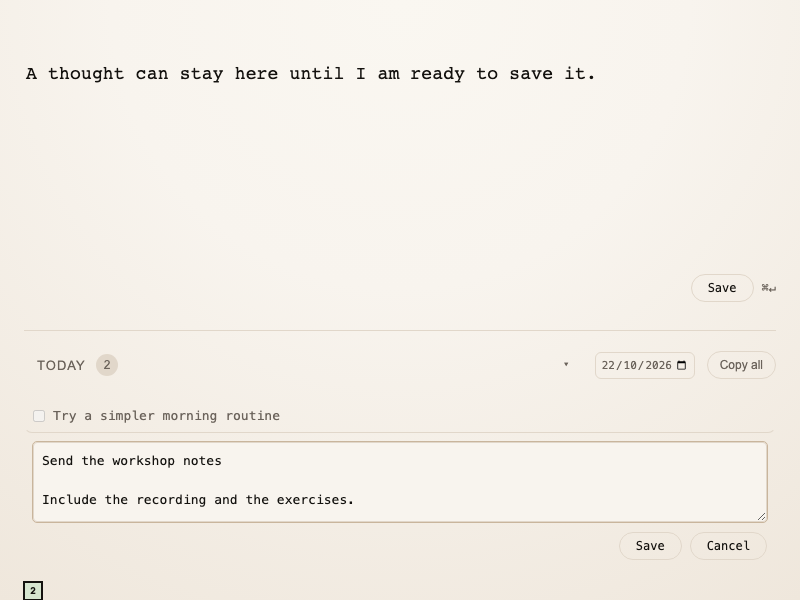
Inbox now keeps your draft when you switch apps or restart, and saves it to your daily journal when you press Save or ⌘Enter. Click a saved entry to edit it, with Save and Cancel controls, and use the date picker to revisit any day.
Inbox starts as a minimal macOS app for capturing fleeting thoughts in local Markdown files. A blank writing surface, a Today list, and simple copy actions help you capture quickly and move notes into your main system later.